Samsung Watch Screen Protector Installation Tips & Tricks
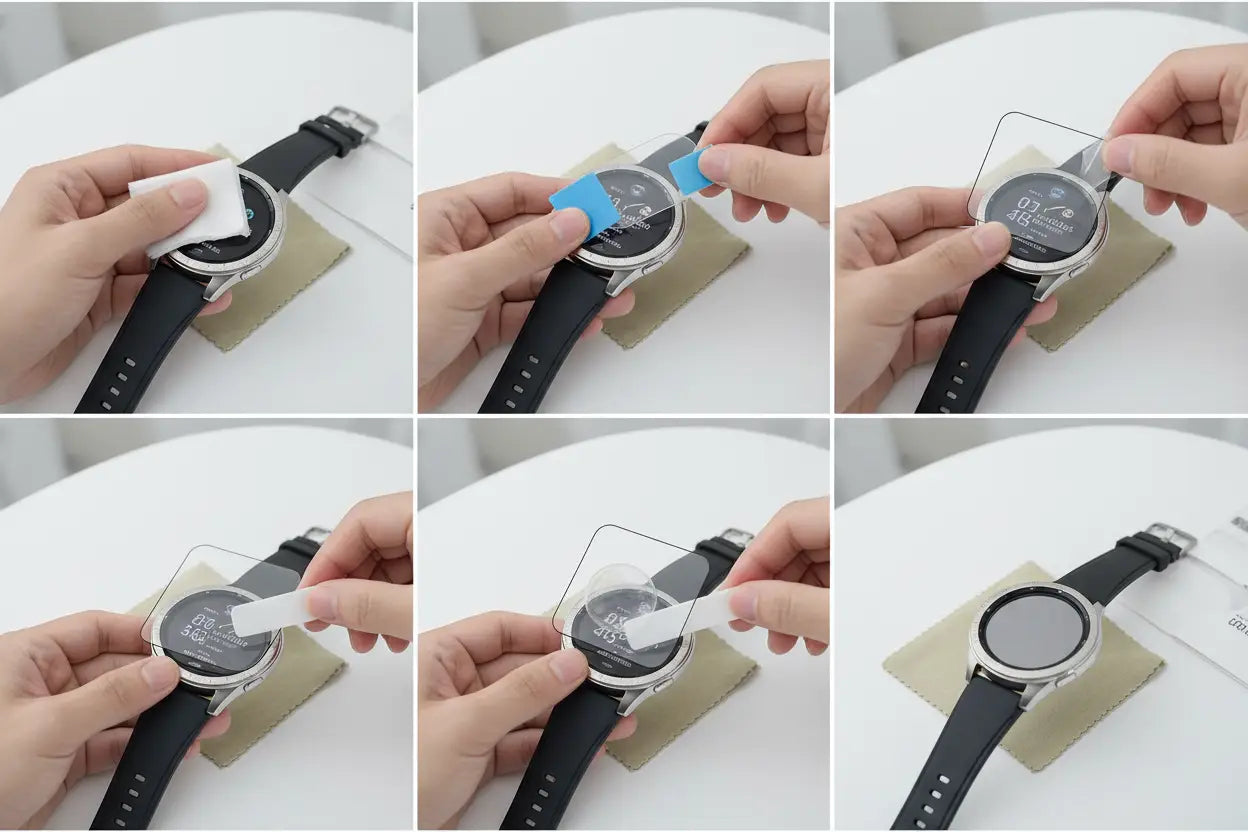
Your Samsung Galaxy Watch is designed to handle everyday life — from fitness tracking and notifications to calls and contactless payments. But even with durable glass, your smartwatch screen is still vulnerable to scratches, scuffs, and accidental bumps. Installing a high-quality screen protector is one of the easiest and most affordable ways to protect your investment.
However, many users struggle with bubbles, dust particles, or misalignment during installation. In this complete guide, we’ll walk you through Samsung watch screen protector installation tips and tricks to help you get a flawless, professional-looking finish at home.
Why Proper Installation Matters
A poorly installed screen protector can:
-
Reduce touch sensitivity
-
Trap dust or air bubbles
-
Peel off at the edges
-
Affect display clarity
When applied correctly, a screen protector should feel nearly invisible while maintaining smooth touchscreen performance. Taking a few extra minutes during installation can make all the difference.
Step 1: Choose the Right Screen Protector
Before installation, make sure you have the correct screen protector for your Samsung watch model and size (40mm, 42mm, 44mm, 45mm, etc.).
There are generally two common types:
✔ Tempered Glass Screen Protectors
-
Strong scratch resistance
-
Smooth glass-like feel
-
Higher impact protection
✔ Hydrogel Screen Protectors
-
Flexible and ultra-thin design
-
Full edge-to-edge coverage (ideal for curved screens)
-
Advanced self-healing technology for minor scratches
-
Smooth touch response with high transparency
Both options work well, but installation techniques may vary slightly due to material flexibility.
Step 2: Prepare a Dust-Free Environment
Dust is the biggest enemy during installation.
Pro Tip: Install your screen protector in a bathroom after running a hot shower for a few minutes. The steam reduces airborne dust particles, creating a cleaner environment.
Other tips:
-
Turn off fans or air conditioners
-
Work on a clean, flat surface
-
Wash and dry your hands thoroughly
A controlled environment significantly improves your results.
Step 3: Clean Properly
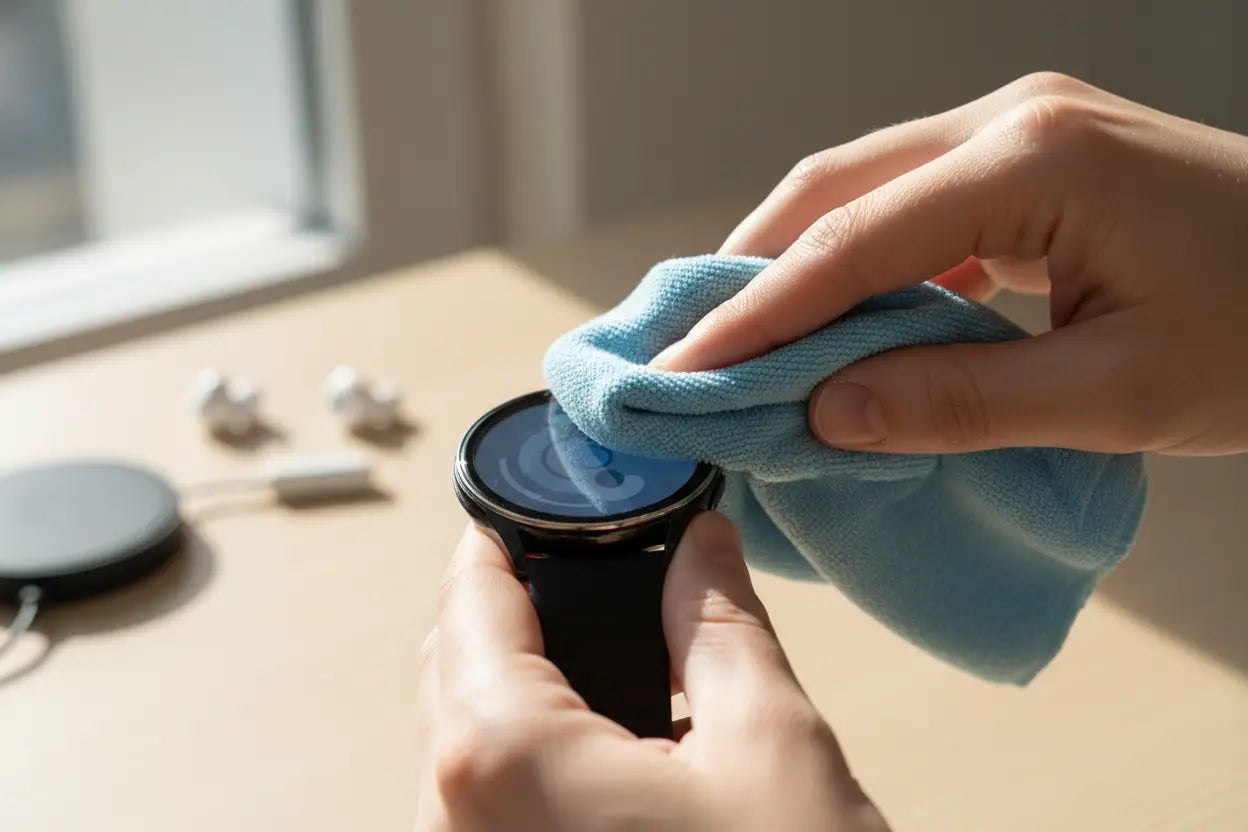
Proper cleaning is crucial for bubble-free installation.
-
Use the alcohol wipe provided in the kit to remove oils and dirt.
-
Dry the screen using a microfiber cloth.
-
Use a dust removal sticker to eliminate any remaining particles.
Inspect the screen under bright light before applying the protector. Even tiny dust particles can create noticeable bubbles.
Step 4: Align Carefully Before Applying
Alignment is one of the most common challenges.
Installation Trick:
-
Remove only a small portion of the backing first.
-
Align the protector with the edges and speaker cutouts.
-
Once aligned correctly, slowly peel off the rest while pressing gently from the center outward.
For tempered glass protectors, lower the protector slowly from one side to the other to avoid trapping air.
Step 5: Remove Air Bubbles the Right Way
Small bubbles may appear during installation — don’t panic.
For Tempered Glass:
-
Use a soft cloth to gently press bubbles toward the edges.
-
Most micro-bubbles disappear within 24–48 hours.
For Hydrogel Screen Protectors:
- Use the included squeegee or application card.
- Gently push air bubbles outward in small, firm strokes from the center toward the edges.
- Allow a few hours for minor bubbles to disappear naturally due to the self-healing material.
If a bubble is caused by dust, carefully lift the protector slightly and use a dust sticker to remove the particle before reapplying.
Read About: Stylish Samsung Galaxy Watch Accessories to Upgrade Your Look
Step 6: Allow it to set
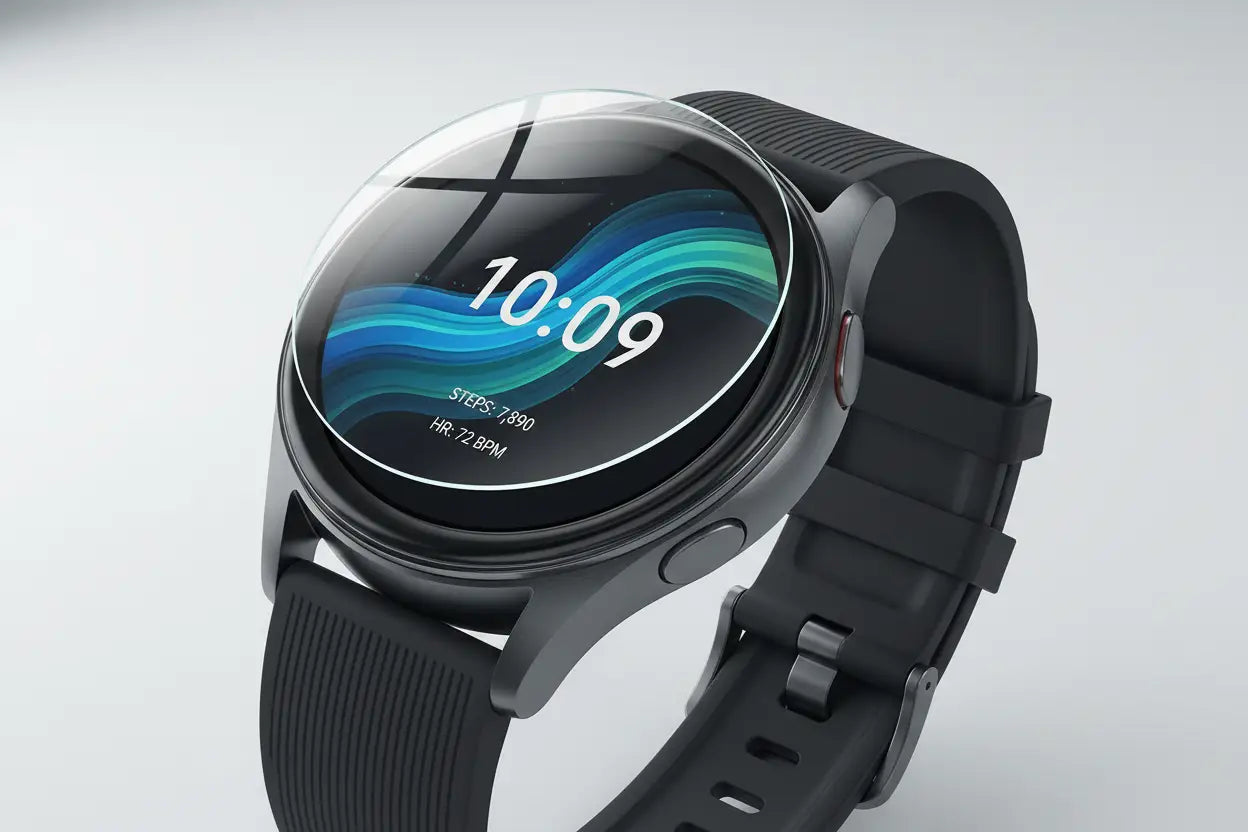
After installation:
-
Avoid heavy usage for at least 1–2 hours.
-
Do not expose the watch to water immediately.
-
Let the adhesive fully bond for best durability.
This step ensures long-lasting performance.
Common Mistakes to Avoid
❌ Installing in a dusty room
❌ Touching the adhesive side
❌ Applying too quickly without alignment
❌ Ignoring tiny dust particles
❌ Using excessive force
Taking your time is key. A rushed installation often leads to frustration.
Extra Tips for Perfect Results
✔ Use Tape for Alignment
Apply two small pieces of tape on one side to create a “hinge.” This helps you reposition the protector easily before final placement.
✔ Warm the Protector Slightly
If installing in cold conditions, gently warm the protector between your hands for better flexibility.
✔ Check Edge Adhesion
After installation, run your finger along the edges to ensure proper sealing.
✔ Pair with a Protective Case
For maximum safety, consider combining your screen protector with a Samsung watch case for full impact and scratch protection.
How Long Does a Samsung Watch Screen Protector Last?
A quality screen protector typically lasts:
-
6–12 months for daily active users
-
Longer with moderate use
Replace it if you notice:
-
Deep scratches
-
Peeling edges
-
Reduced touch responsiveness
Regular inspection helps maintain optimal protection.
Also Read: Common Mistakes to Avoid When Buying Watch Accessories Online
Are Screen Protectors Worth It?
Absolutely. Repairing or replacing a smartwatch screen can be expensive. A screen protector is a small investment that protects your device from everyday wear and tear.
Whether you use your Samsung Galaxy Watch for workouts, work, or travel, a properly installed screen protector ensures:
-
Clear display visibility
-
Smooth touch performance
-
Long-term durability
-
Peace of mind
Final Thoughts
Installing a Samsung watch screen protector doesn’t have to be difficult. With the right tools, a clean environment, and a little patience, you can achieve a smooth, bubble-free finish in minutes.
Remember these key tips:
-
Clean thoroughly
-
Align carefully
-
Apply slowly
-
Remove bubbles gently
-
Let it set properly
Your Samsung Galaxy Watch is a valuable everyday companion. Protecting its screen ensures it stays looking new and functioning perfectly for years to come.
Take your time, follow these tricks, and enjoy worry-free protection every day by purchasing high-quality watch screen protectors from That watch shop.